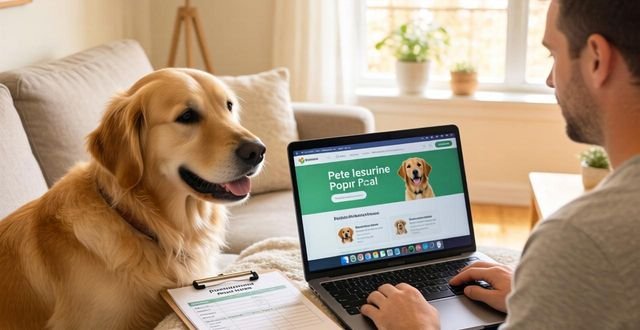
It's a quiet Tuesday evening. You're scrolling through your pet insurance portal, maybe updating a payment method, and there it is. The little profile picture of your beloved companion who's no longer with you. That button. "Remove Pet." It feels colder than it should.
Your cursor hovers. A mix of practical thoughts and a wave of memory. Is this the right step? Will it affect my other pets' policies? Let's talk about this, not as a cold transaction, but as a part of the journey.
Why would you need to remove a pet from a pet insurance portal?
Life happens. Sometimes, it's the saddest reason. We say goodbye. Other times, perhaps you found a better policy elsewhere for one specific pet, or you're rehoming them to a wonderful new family. The portal needs to reflect reality.
It's not just digital housekeeping. An active policy for a pet who has passed can lead to confusing renewal notices. That hurts, every single time. For a rehomed pet, keeping them on might mean you're still liable for payments. Clearing it up is a step, often a tough one.
How does removing a pet work on most pet insurance portals?
Logically,you'd head to "Manage Pets" or "My Pets." You'll see the list. Click on the name. The option is usually there, sometimes under "Settings" or "Policy Details." They might ask "Why?" A dropdown menu. "Deceased." "Rehomed." "Policy Cancelled."
Here's the thing they don't always shout about. Removing the pet profile doesn't automatically cancel the policy. Often, it's two separate actions. You remove the pet from your account view. But you might need to call or email to formally cancel that specific policy and stop future premiums.
Big distinction. Do one without the other, and you could get billed.

What happens to my data after I remove a pet?
Good question. Reputable providers keep records for legal and accounting reasons, but they should archive it. It disappears from your daily view. That's the point. To give you a clean space without constant reminders.
Should you download vet history first? If you had a wellness plan that tracked vaccinations, maybe. For future reference. It's a quiet tip. Do it before you click.
Does removing a pet affect my other pets' coverage?
Generally, no. Each pet policy is usually standalone. Removing one shouldn't touch the others. But breathe easy – double-check your next billing statement. Make sure the premium total looks right. A quick visual scan. Peace of mind.
If you had a multi-pet discount, that's the only potential ripple. Removing a pet might change your discount tier. Your bill for the remaining pets could go up a little. Not a penalty, just a math adjustment. Worth asking the provider directly.
"It felt final," a friend told me. Clicking that button. Like an official stamp on a chapter. She did it a month after. Said the portal felt lighter after, somehow. Less cluttered with grief.
The process is simple. The feeling around it isn't. It's okay if you leave the profile there for a while. There's no rush. The portal can wait. You handle your admin when you're ready. Truly.
The goal is accuracy. Your portal should mirror your real-life pack. Keeping it updated, even in hard times, prevents future hassles. It's a small act of care, for your past companion and your present self. Just know the steps. Then take them on your own time.